

Have you been searching for DLS 2026 kaizer chief FC edition? If you’re nodding your head right now, this blog post is for you.
Today, I will walk you through everything you need to transform your DLS 2026 experience into the ultimate Kaizer Chiefs edition.
We are talking about the freshest kits, a crisp official logo, the latest player squad updates, tactical setups that actually win matches, and all the small details that make your team feel authentic.
Whether you just want to download the game or you have been grinding Career Mode for weeks, this guide will level up your setup. Let us get started.
What Is New in DLS 2026 for Kaizer Chiefs Fans
First things first. DLS 2026 brought some noticeable upgrades over last year’s version, and if you are running a South African club, you will feel the difference.
The kit resolution is sharper now. When you import a custom jersey, the textures load cleaner and the sponsor logos do not blur as much as they used to. The player models have better proportions, so your Chiefs squad looks less generic and more like actual footballers. Stadium atmosphere got a bump too. The lighting during evening matches looks more natural, and the crowd density feels fuller when you are playing at home.
For PSL fans specifically, the player database received a refresh. Several Chiefs players got rating adjustments that reflect their real-life form, and the overall squad balance feels more competitive against European clubs in Online Mode. It is not perfect, but it is a step forward.
GAMEPLAY
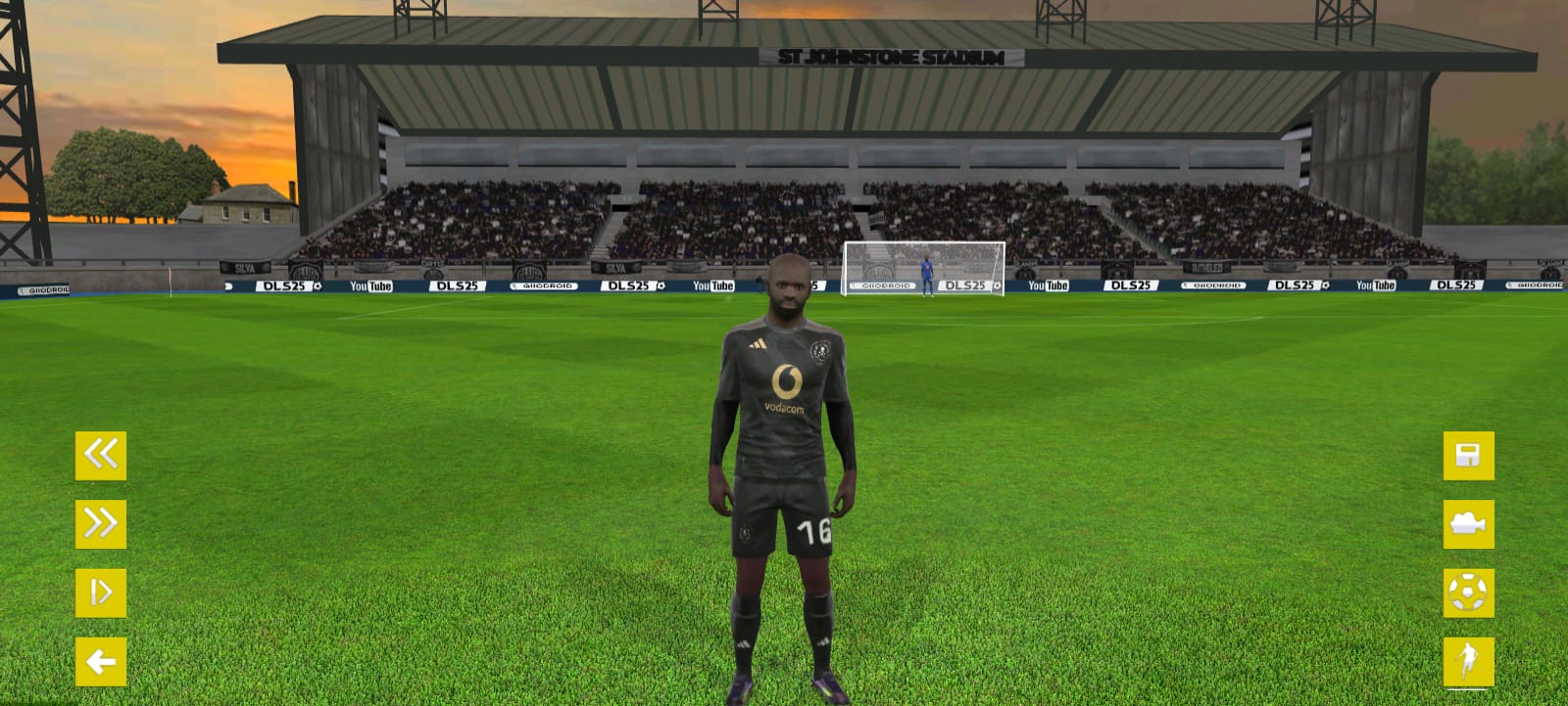
Kaizer Chiefs 2026: The New Kits Breakdown
Let us talk about the jerseys, because this is where most fans start their customization journey.
Home Kit 2026
The home kit stays true to the iconic gold and black identity. The base color is a rich golden yellow that pops under stadium lights.
Black trim runs along the collar and sleeve cuffs, giving it a clean, modern edge. The front panel features a subtle geometric pattern that mimics the texture of the actual 2026 season jersey. The sponsor branding sits cleanly across the chest in black lettering, and the Kaizer Chiefs shield crest is positioned proudly on the left side.
This kit works beautifully in-game because the high contrast makes your players easy to spot during fast counter-attacks.
Away Kit 2026
The away kit switches things up with a predominantly black base and gold accent stripes running down the sides. The collar is a V-neck style with a thin gold border.
It is a sleek, intimidating look that feels perfect for tough away fixtures in Career Mode. The goalkeeper tends to blend less with your outfield players when you use this kit, which helps during those frantic goalmouth scrambles.
Third Kit
The alternate option usually drops as a white or light grey variation with minimal gold and black detailing. It is useful when your opponent is also wearing dark colors, or when you simply want to switch things up after ten matches in a row. I recommend rotating this in during cup competitions to keep the visual experience fresh.
Goalkeeper Kits
The home goalkeeper kit typically uses a bold color like green or orange to stand out from the outfield players. The away GK kit is often a darker shade or inverse of the home version. Make sure your keeper’s kit does not clash with the opponent’s outfield colors, or you will lose track of him during corners.
How to Import the Kits
Here is the exact process. Open DLS 2026 and go to My Club. Select Customize Team, then tap Edit Kit. You will see options for Home, Away, and Goalkeeper kits. Tap the kit you want to change, then select Import.
You will need a direct image URL. The image must be a 512×512 pixel PNG file. The background should be transparent or match the kit base color cleanly. Paste the URL into the import field and confirm. If the kit loads as a blank white or black square, the URL is either broken or the image dimensions are wrong. Try a different image host or re-export the file at exactly 512×512.
Pro tip: Test the kit in a quick match immediately after importing. Sometimes the preview looks fine but the in-game lighting changes how the colors appear.
The New Kaizer Chiefs Logo in DLS 2026
The Kaizer Chiefs crest is one of the most recognizable in African football, and getting it right in DLS 2026 makes a huge difference to how professional your team looks.
The 2026 version of the logo maintains the classic shield shape. The top section holds the club initials in bold lettering. The central panel features the iconic figure with a spear, set against a background that blends black and gold tones. The bottom banner carries the founding year and club name. Every element is sharp and historically grounded.
How to Import the Logo
Navigate to My Club > Customize Team > Edit Logo. Choose Import and paste your direct image URL. The logo file should be 512×512 pixels, PNG format, with a transparent background if you want the shield shape to display cleanly.
The most common issue here is blurriness. If your logo looks soft or pixelated in the menu, the source image was probably upscaled from a smaller size.
Find a high-resolution vector source and export it at the exact required size. Another frequent problem is the logo appearing as an oval instead of a shield. This happens when the image has too much transparent space around it. Crop the logo tightly before uploading.
Latest Kaizer Chiefs Players & Full Squad Update
Now let us get to the squad. This is where your Chiefs team truly comes alive.
Goalkeepers
Your number one should be the highest-rated keeper available. In the current database, look for solid reflexes and positioning stats. The backup keeper is usually a younger option with lower overall rating but decent potential for growth if you invest training points.
Defenders
The center-back pairing needs balance. One should be physically dominant with high strength and heading ability. The other should have better pace and passing to play out from the back. Your full-backs are crucial in DLS 2026 because wing play is so effective. Prioritize the ones with high stamina and crossing stats. They will be running up and down the flank all match.
Midfielders
This is the engine room. You want at least one defensive midfielder with high tackling and interception stats to shield the back four. Your central midfielders should have balanced passing and stamina. If you can find a midfielder with both long passing and vision traits, build your attacks through him.
The attacking midfielders and wingers are your creative spark. Look for high dribbling, pace, and finishing. In DLS 2026, players with the one-touch pass and through passing skills make a noticeable difference. Your midfielders should have these if possible.
Forwards
Your main striker needs high finishing, heading, and strength. If you play with two strikers, pair a target man with a faster partner who can run in behind defenses. The target man holds up play and lays it off. The pacey striker exploits the space.
New Signings & Transfer Updates
Keep an eye on the latest transfer window activity. New signings often arrive with updated player models and sometimes boosted ratings compared to their previous clubs. If a high-profile player joined Chiefs recently, he is likely one of your best options in-game.
Youth Prospects Worth Developing
Do not ignore the younger players with lower current ratings but high potential. In Career Mode, these players grow quickly with game time and training. A 68-rated teenage winger can become an 85-rated star within two seasons if you play him regularly.
Star Player Spotlight
Identify three or four players who consistently perform above their stats. Usually, this includes your top striker, your most creative midfielder, and one defender who seems to win every aerial duel. Build your tactics around these players rather than trying to make everyone equal.
How to Build a Championship-Winning Kaizer Chiefs Squad
Having the right players is only half the battle. You need the right setup.
Best Formations
4-3-3 is the classic choice for Chiefs. It gives you width with the wingers, a solid midfield triangle, and enough defensive cover. Use this when you want to dominate possession and stretch the opponent.
4-2-3-1 offers more defensive stability. The two holding midfielders protect the back four while the attacking midfielder links play. This works well against stronger online opponents who press aggressively.
3-5-2 is your option when you want to overload the midfield. It sacrifices a defender for an extra central midfielder, which helps you control the tempo. Just be careful against teams with fast wingers, as your wing-backs will have a lot of ground to cover.
Tactical Recommendations
Set your playing style based on your squad strengths. If your forwards are fast, use Counter-Attack. If your midfielders have great passing stats, use Possession. For defensive settings, a medium defensive line works best with Chiefs. Too high and you get exposed over the top. Too low and you invite unnecessary pressure.
Set pressing to Moderate. Constant heavy pressing drains stamina fast, and DLS 2026 punishes tired teams in the final twenty minutes.
Player Roles & Chemistry
Make your most consistent performer the captain. The captaincy boost is subtle but it helps in tight matches. Assign penalty duties to your striker with the highest composure stat, not necessarily the highest overall rating. For free kicks, pick the player with the best curve and shot power combination.
Identify your best partnerships. Which two center-backs cover for each other naturally? Which midfielders combine well with one-touch passing? Once you find these combinations, do not change them unnecessarily. Chemistry builds over matches.
Gameplay Mastery: Dominating with Kaizer Chiefs
Now let us talk about how you actually win matches.
Attacking Play
Use your wingers. The full width of the pitch is your friend in DLS 2026. When you have the ball on the wing, watch the radar for your striker’s run. If he is making a move toward the near post, whip in an early cross. If he is hanging back, cut inside and look for the through ball.
Master the lofted through pass. When a defender is blocking your standard through ball, the lofted version arcs over him. Time it so your striker reaches the ball at the peak of his run. Too early and the keeper collects it. Too late and it is offside.
Defensive Organization
Do not rush your defenders out unless you are certain you will win the ball. In DLS 2026, a missed tackle leaves a massive gap. Instead, control your defensive midfielder and cut passing lanes. Force the opponent wide, where they are less dangerous.
When a cross comes in, use the pass button to head the ball to your goalkeeper rather than clearing it blindly. Clearing often gives possession straight back to the opponent. A calm pass to your keeper resets the play properly.
Set-Piece Tactics
For corners, the near-post flick-on is still effective. Aim your cross slightly in front of the nearest player and tap the shoot button early. For free kicks just outside the box, a curled shot toward the far post works well if you have a right-footed kicker on the left side, or vice versa.
Skill Moves That Work
Keep it simple. The step-over beats one defender reliably. The roulette turn works well in midfield when you are facing your own goal and need to spin past pressure. Do not overuse complex moves. In DLS 2026, quick direction changes and sharp passing beat flashy dribbling most of the time.
Career Mode Guide: Growing Your Kaizer Chiefs Team
Career Mode is where your Chiefs dynasty gets built.
Earning Coins Efficiently
Play the daily challenges. They take five minutes and give solid rewards. Watch the optional ads for bonus coins if you have the patience. Online matches pay more than offline ones, but only if you can handle the connection quality.
Training Priorities
Upgrade your striker’s finishing first. Goals win matches. Next, invest in your center-backs’ strength and heading. A solid defense keeps you in games you should not be winning. Midfield stamina is the third priority. Tired midfielders lose second balls and leave gaps.
Smart Transfer Market Moves
Sell players who do not fit your formation. That 75-rated winger is useless if you play a narrow formation. Use the coins to buy a midfielder who actually starts. Scout for free agents too. Sometimes high-potential players are available without a transfer fee.
Facility Upgrades
Upgrade your stadium capacity first for more match revenue. Then improve your training facilities so player growth accelerates. The medical facility reduces injury time, which becomes important in later seasons when fixtures pile up.
Visual Customization: Making It Feel Official
Small details add up.
Menu Theme Colors
Set your club colors to match the Chiefs gold and black. This changes the menu backgrounds and button highlights to your team identity.
Manager Avatar & Jersey
Pick a manager avatar that feels appropriate. It is a small thing, but it adds to the immersion. Set your default jersey to the home kit for most matches.
Stadium Customization
Choose a pitch pattern that looks natural. The default grass texture works fine. For goal nets, white is classic and clean. You can match the net color to your kit accents if you want a coordinated look.
Crowd Atmosphere
Turn crowd audio up if your device handles it. The chants and reactions make scoring goals more satisfying. If you experience frame drops, reduce crowd density before lowering other graphics settings.
Comparison: Kaizer Chiefs in DLS 2026 vs. DLS 2025
So how much did things actually improve?
The squad ratings feel more accurate this year. Last season, several Chiefs players were undervalued compared to their real-life contributions. That has been corrected for key starters. The visual quality of imported kits is noticeably better. In DLS 2025, complex patterns often turned muddy. Now they render clearly.
Gameplay-wise, the team feels more responsive. Passing is crisper, which benefits a possession-based Chiefs setup. Defending still requires concentration, but the players turn faster when recovering. Overall, Kaizer Chiefs is a more competitive choice in DLS 2026 than they were in the previous version.
Troubleshooting Common DLS 2026 Kaizer Chiefs Issues
Let us fix the problems before they frustrate you.
Kit turns black or white after import. This usually means the image URL is not direct. Make sure the URL ends in .png. If it ends in .html or has extra parameters, the game cannot read it properly.
Logo looks stretched or blurry. Your source image is too small. Find a larger version and resize it to exactly 512×512. Do not upscale a 200×200 image. It will always look bad.
Game crashes during squad edit. Close background apps to free up RAM. If you are on an older device, edit your squad in small chunks rather than changing ten players at once.
Player ratings did not update after a transfer. This happens when the game caches old data. Go to your device settings, find DLS 2026 in your apps list, and clear the cache. Do not clear all data or you will lose progress.
Online multiplayer lag. Lower your graphics settings to Medium or Low. Turn off crowd rendering if necessary. A stable connection matters more than pretty graphics in ranked matches.
Frequently Asked Questions
Is this Kaizer Chiefs content official or created by fans?
The kits, logos, and squad data available for import are typically created by the DLS community. First Touch Games does not officially license every PSL club, so fans fill the gap with high-quality custom content.
Can I use custom kits and logos in Online Multiplayer?
Yes. Your custom visuals display on your screen. Opponents see their own custom setups or defaults. The match itself is unaffected.
Will my custom team data save if I switch devices?
If you link your account to Google Play or Game Center, your progress saves. However, custom imported images may need to be re-imported on the new device. Keep your kit and logo URLs saved somewhere.
How often should I update kits and logos?
At the start of each real-life season, clubs usually release new kits. Update your imports then. For logos, only update if the club officially redesigns the crest.
What are the best graphics settings for smooth gameplay?
Set frame rate to High if your device supports it. Use Medium graphics quality as the baseline. Only go higher if your phone does not heat up during thirty-minute play sessions.
>> >> DLS 2026 KAIZER CHIEF APK
Conclusion
Building the ultimate Kaizer Chiefs experience in DLS 2026 is not just about slapping a logo on a generic team. It is about the details. The exact shade of gold on your home kit. The sharpness of the crest in the menu. The tactical setup that turns your squad into a winning machine. The gameplay habits that separate a casual player from someone who actually dominates Online Mode.
You now have every piece of information you need. Import those kits. Set that logo. Build your squad the right way. Play the football that Amakhosi deserves.
If you have your own custom formation or a hidden gem player you discovered in Career Mode, share it. The best part of the DLS community is seeing how other fans represent their clubs. Now go win some matches.
Ready to take your DLS 2026 game even further? Bookmark this guide and check back for updates when the next transfer window hits.
What Is The Password To Install This Game
The password is; 22102
I want this game